Help for the salud Account Site
Last updated: 8 November 2026
The salud Account Site, at account.salud.nz, is where you manage your salud account and, once you've claimed it, your venue. It works on a computer or a phone.
Questions? Go to Profile → Contact salud in the salud app: a real person reads every message. Help with the app itself is on Help.
- Signing in
- Claiming your venue
- Your venue
- Your venue's deals
- Insights
- Posts
- Plans and Grow
- Getting help
Signing in
The Account Site uses your salud account: the same one as the app.
- In the salud app, go to Profile → Manage account. The Account Site opens, already signed in.
- Or go to account.salud.nz and choose Continue with Google. There's no password. (Signed up with Apple on your iPhone? Use Manage account in the app.)
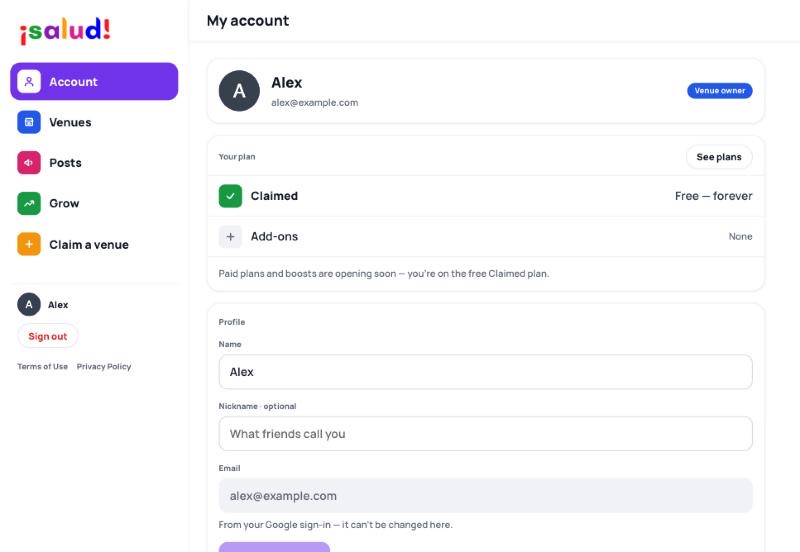
The Account page shows your plan and your name. Claiming a venue is free, forever. Your email comes from how you sign in, so it can't be changed here.
Claiming your venue
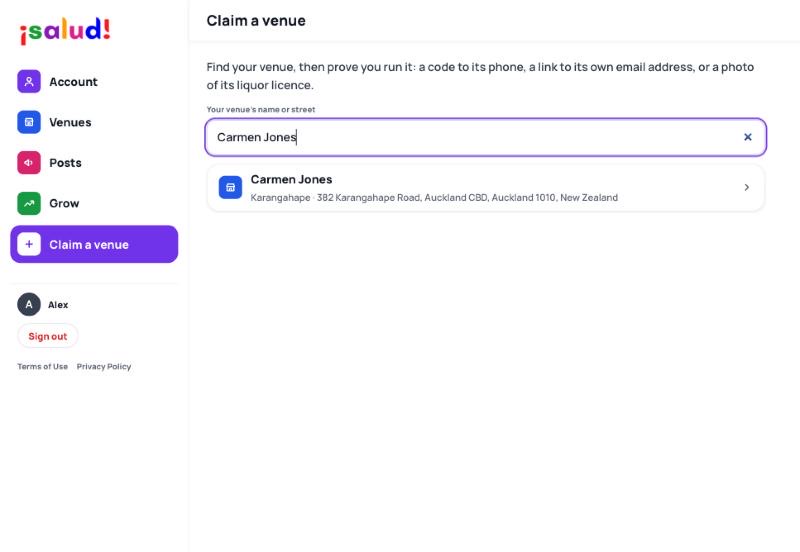
- Choose Claim a venue, and search for your venue by its name or street. (In the app, Claim it on your venue's page brings you straight here.)
- Choose your venue.
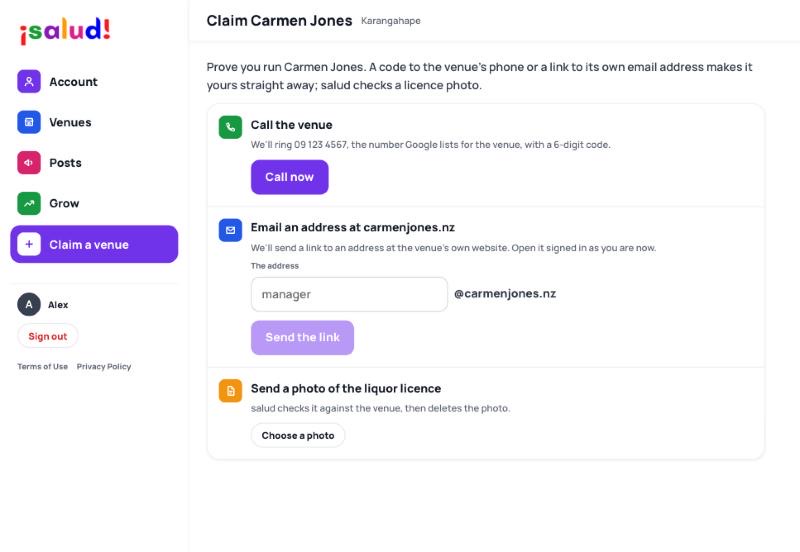
- Prove you run it, one of three ways:
- Call the venue. salud rings the number Google lists for the venue with a 6-digit code. Type it in.
- Email an address at the venue's own website. salud sends a link; open it signed in as you are.
- Send a photo of the liquor licence. salud checks it against the venue, then deletes the photo.
A code or an email link makes the venue yours straight away. A licence photo is checked by us first.
Stuck? In the app, go to Profile → Contact salud and choose Help claiming my business.
Your venue
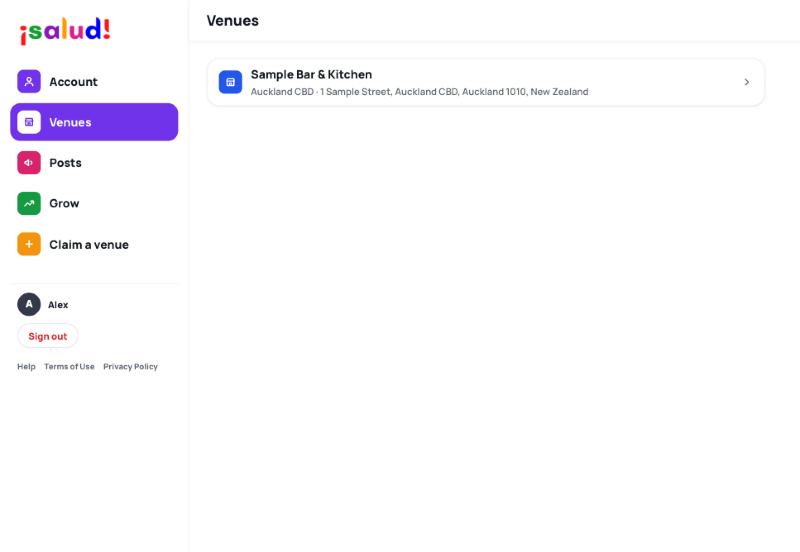
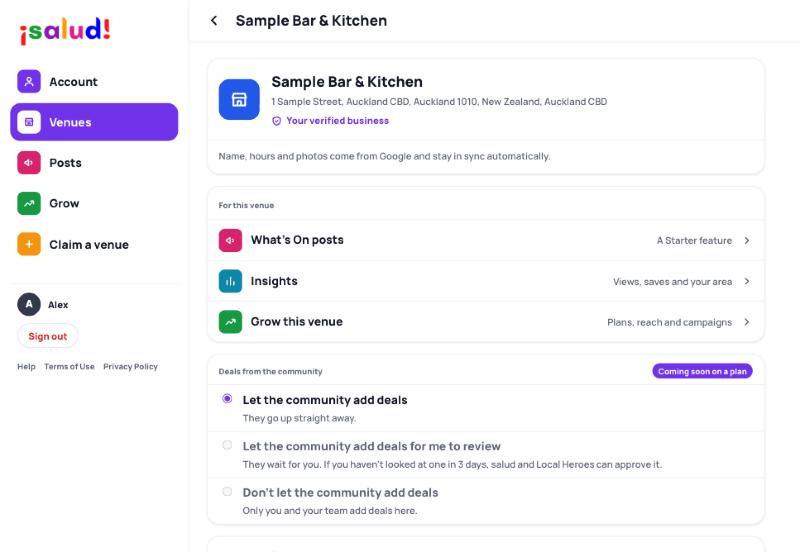
Venues lists the venues you've claimed. Open one to look after it.
- Its name, hours and photos come from Google and stay in sync automatically. To change them, change them on Google.
- For this venue: What's On posts, Insights, and Grow this venue.
- Deals from the community: who can add deals to your venue. For now, the community adds deals and they go up straight away. Choosing to review them first, or to add deals only yourself, comes with a plan.
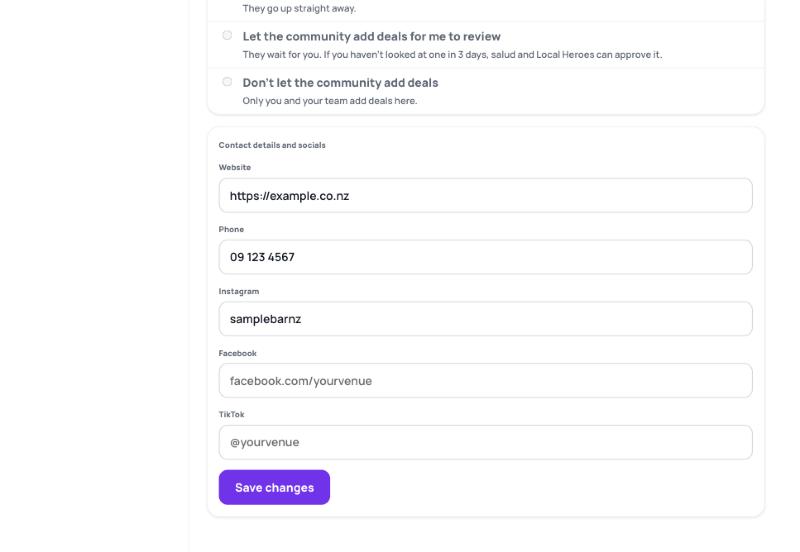
- Contact details and socials: your website, phone, Instagram, Facebook and TikTok. Change them and choose Save changes.
Your venue's deals
Your venue's deals are kept up to date in the salud app, where you can do it on the go.
- Open your venue in the app.
- Open a deal and choose Edit this deal to change it.
- To add one, tap + and choose your venue.
See Adding a deal in the app's help.
Insights
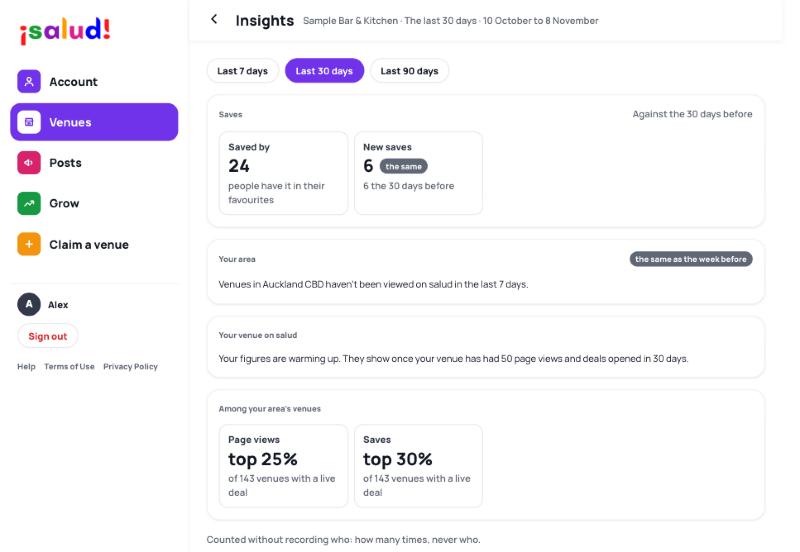
From your venue, choose Insights to see how it's doing over the last 7, 30 or 90 days:
- Saves: how many people have your venue in their favourites;
- Your area: how much the venues around you are being looked at;
- Your venue on salud: page views and deals opened. These show once your venue has had 50 in 30 days;
- Among your area's venues: where you sit for page views and saves.
Everything is counted without recording who: how many times, never who.
Posts
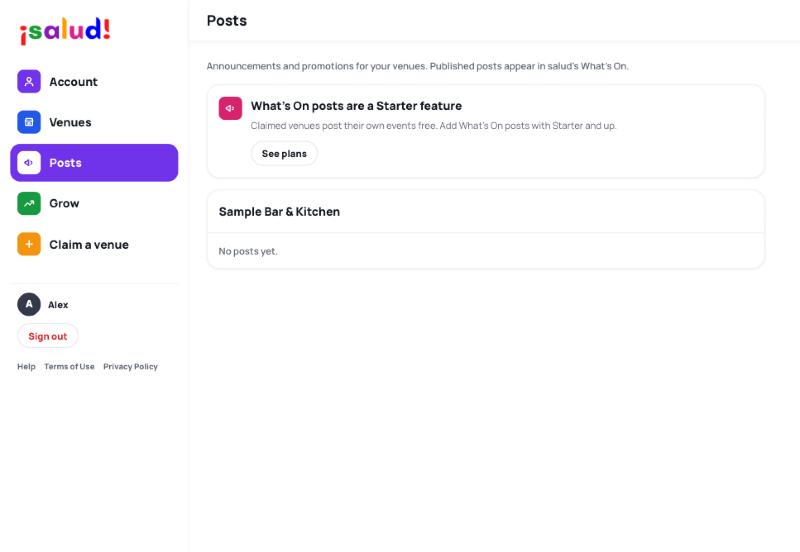
Posts are your announcements and promotions. Published posts appear in salud's What's On. What's On posts come with the Starter plan, which opens soon.
Plans and Grow
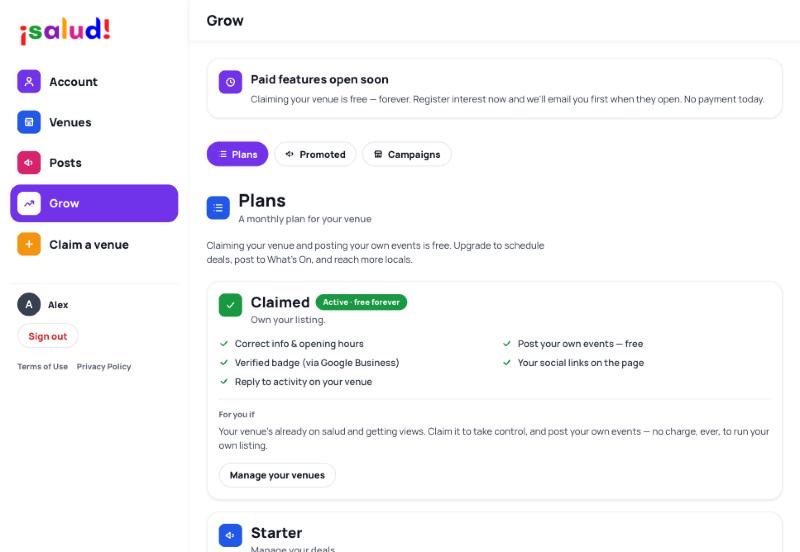
Grow shows salud's plans, promoted posts and campaigns for venues. Paid features open soon. Claiming your venue is free, forever, and there's no payment today. Register your interest and we'll tell you first when they open.
Getting help
- In the salud app, go to Profile → Contact salud.
- Choose a topic, such as Help claiming my business or Take my venue off salud, and write your message.
Can't use the app? Email hello@salud.nz.