Help
Last updated: 25 November 2026
How to use salud, step by step. Can't find your answer? Go to Profile → Contact salud in the app: a real person reads every message.
Have a venue on salud? See Help for the salud Account Site.
- Getting started
- Finding deals
- A venue and its deals
- What's On
- Adding a deal
- Keeping deals up to date
- Reporting something
- Contacting us
- Your venue
- Your account and data
- Something's not working
Getting started
salud shows you happy hours, deals and what's on at bars, restaurants and venues near you: drink and meal deals, bottomless brunches, live music, quizzes, tastings and more. It's in Auckland for now.
- Open salud and tap Continue with Google, or Continue with Apple on an iPhone. There's no password to make or remember.
- Or tap Just look around to browse first. You can sign in any time from Profile.
Signing in lets you add a deal, check one, comment, add a photo and save your favourite venues.
Why we ask if you're 18: salud lists drink deals and bars, so it's for people aged 18 and over. We ask once, when you first sign in.
Your location. salud works without it. If you allow it, your phone works out where you are so salud can show what's near you; your location stays on your phone and we never receive it.
Finding deals
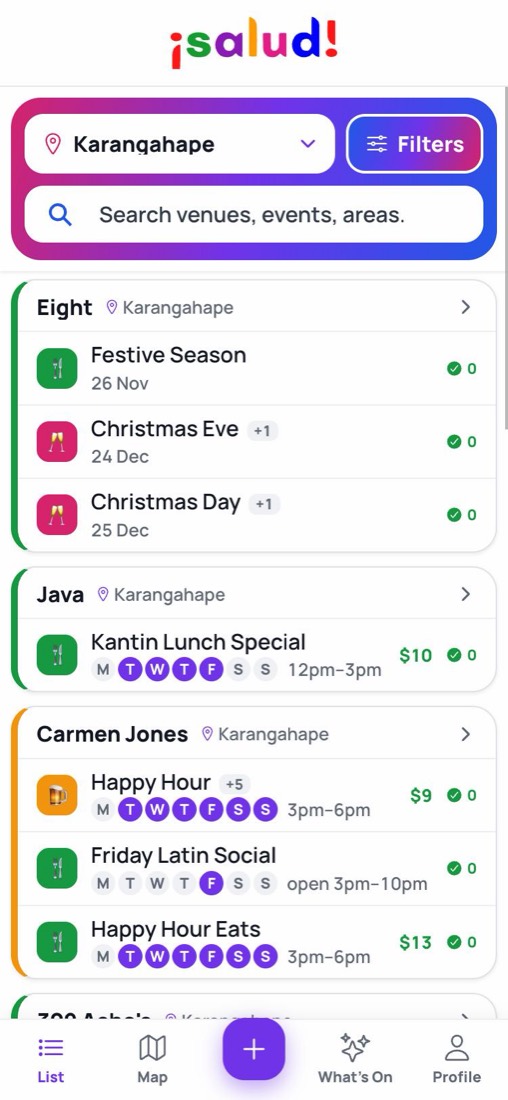
The List tab shows the venues in your area, each with its deals: what's on, on which days (the purple days) and at what times.
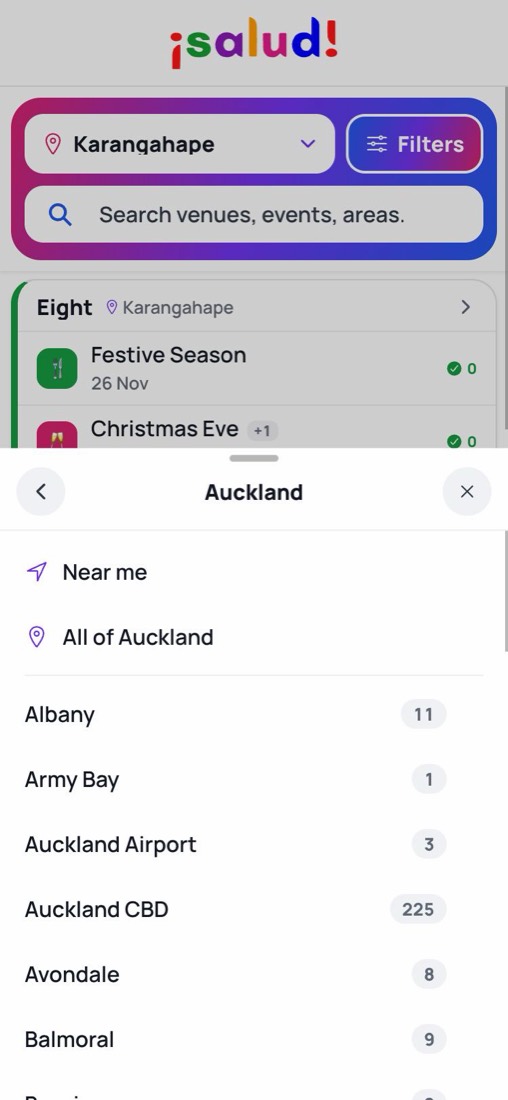
- Pick your area. Tap the area at the top. Choose a suburb, a town or all of Auckland; the places are A to Z, each with how many venues it has. Near me follows you as you move.
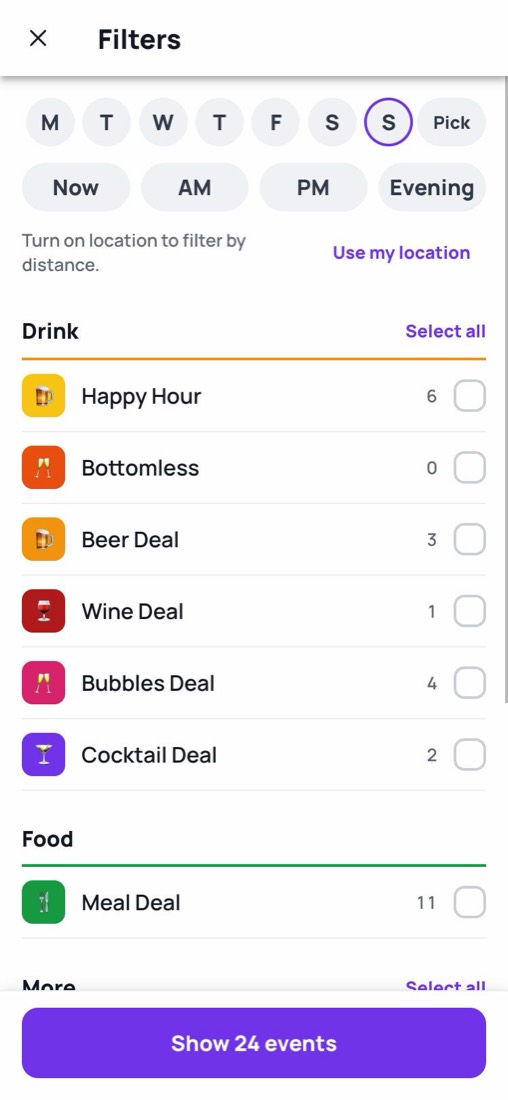
- Narrow it down. Tap Filters to choose days, the time of day, a distance from you, and the kinds of deal: drinks, food, live music, quizzes and more. Then tap Show.
- Search for a venue, a deal or an area by name.
- Prefer a map? The Map tab shows the same venues as pins. Tap one to see its deals.
A venue and its deals
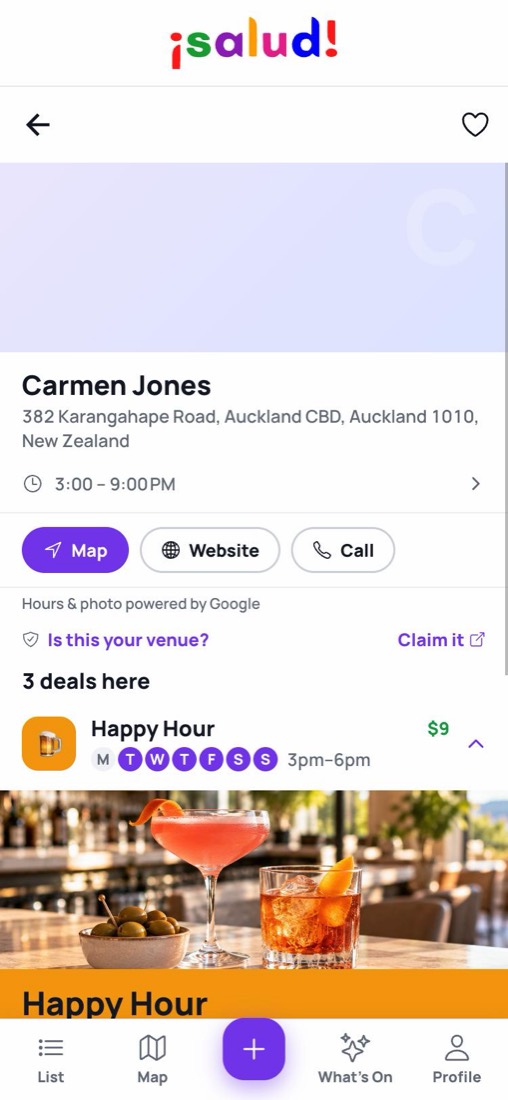
- Tap a venue to open it: its address, today's hours, and buttons for Map, Website and Call.
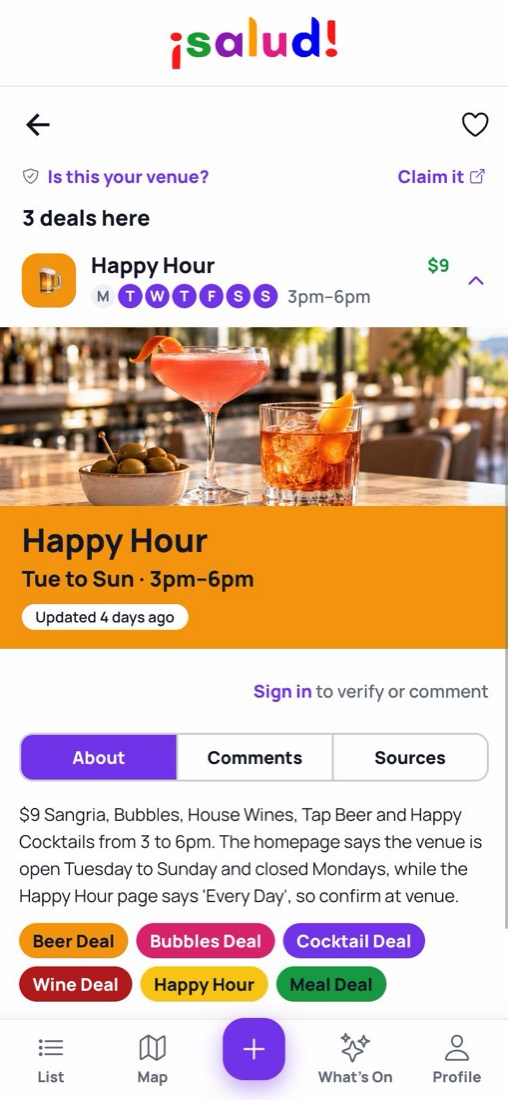
- Tap a deal to open it: when it's on, what's included, and when someone last checked it ("Updated 4 days ago").
- Tap the heart to save the venue to your favourites (Profile → Favourites).
"Closed for now" on a venue means Google lists it as temporarily closed. Its deals come back when it reopens.
What's On
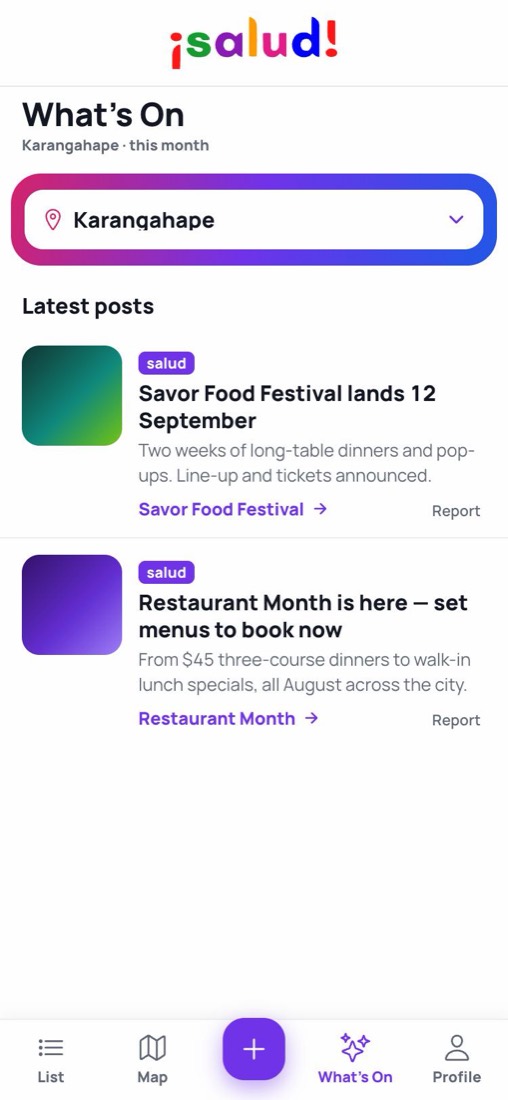
The What's On tab shows this month's festivals and the latest posts from venues and from us, for your area.
- Tap a festival or a post to see more.
- Something in a post wrong or misleading? Tap Report beside it.
Adding a deal
Seen a deal that isn't on salud? Add it. You need to be signed in.
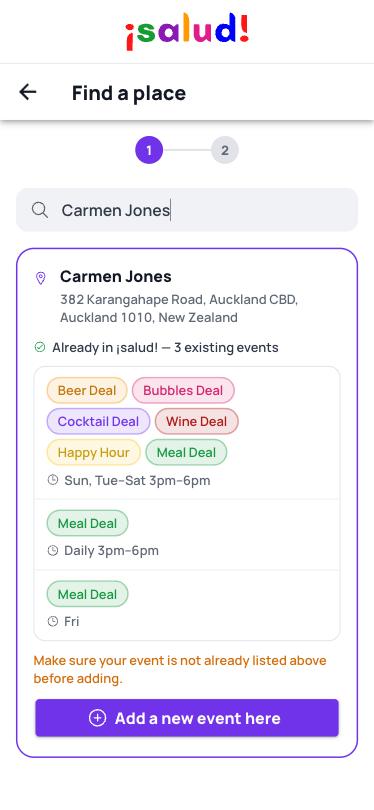
- Tap + at the bottom of the screen.
- Find the venue by name. If it's already on salud, you'll see the deals it has: check yours isn't one of them, then tap Add a new event here.
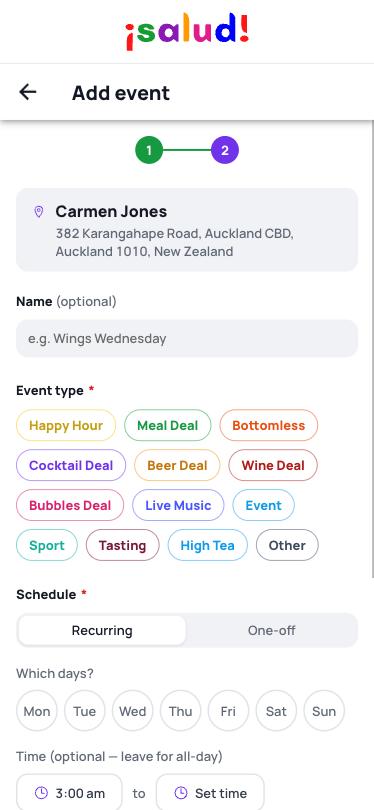
- Give the deal a name if it has one, and choose what kind of deal it is.
- Choose when it runs: Recurring, on certain days each week, or One-off, on a date. Add the times, or leave them out if it's on all day.
- Add what's included, and a photo of the board or menu if you have one.
- Tap Submit event. It shows straight away, marked "Not yet confirmed" until people verify it.
Keeping deals up to date
A deal is wrong, or it's not on any more? You can fix that in a few taps. You need to be signed in.
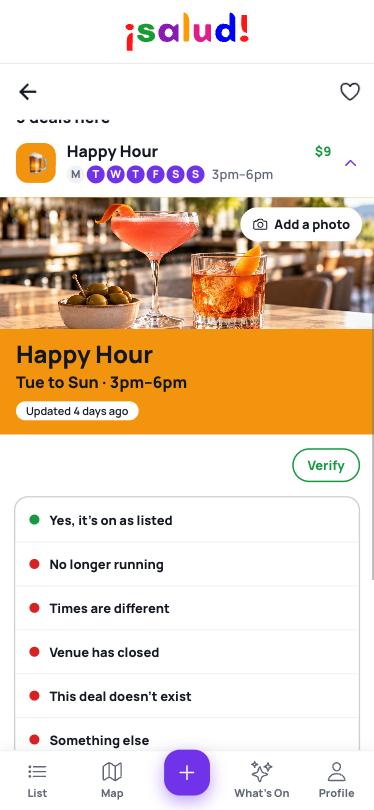
- Open the deal and tap Verify.
- If it was on, choose Yes, it's on as listed. That's just as useful.
- If not, choose what's changed: No longer running, Times are different, Venue has closed, This deal doesn't exist, or Something else (tell us what).
That's all it takes. The app acts on what people report, so there's no need to tell us as well.
You can also comment on a deal or add a photo of it.
Reporting something that shouldn't be on salud
Something offensive, someone's personal information, or a copyright problem?
- On a post, tap Report.
- Anything else: go to Profile → Contact salud, choose Something that shouldn't be on salud, and tell us where it is.
We look at it quickly.
Contacting us
The quickest way to reach us is in the app. You don't need to be signed in.
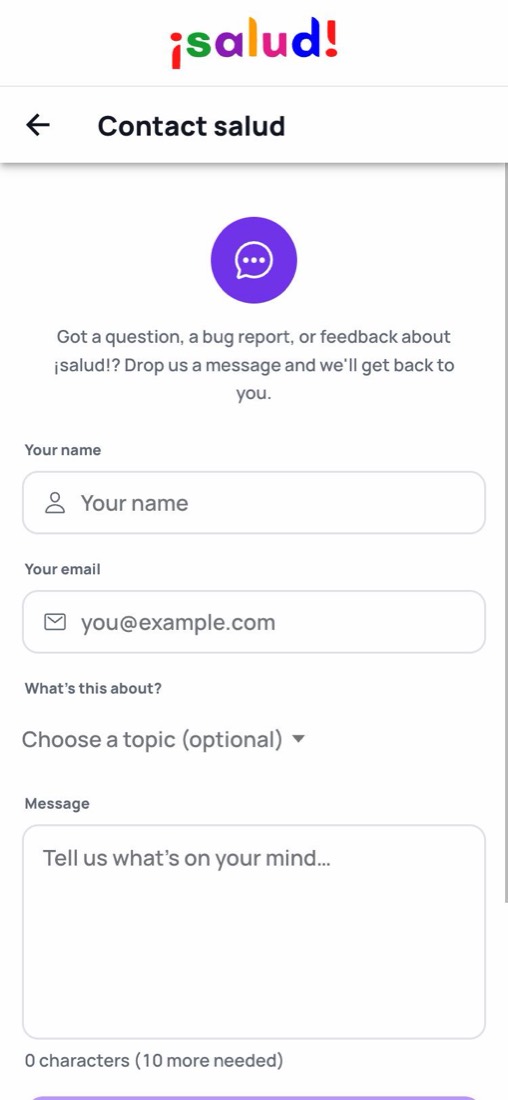
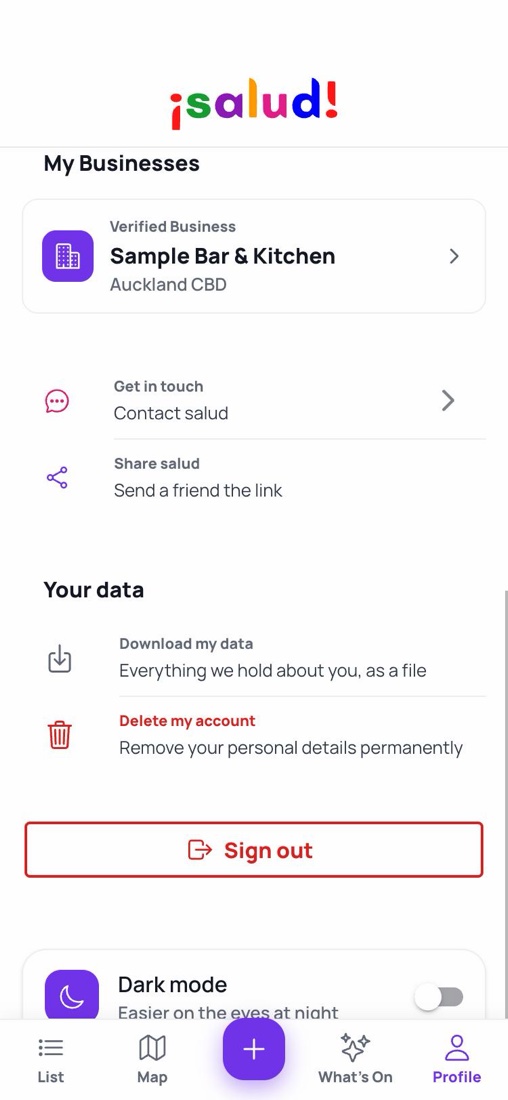
- Go to Profile and tap Contact salud.
- Add your name and email so we can reply.
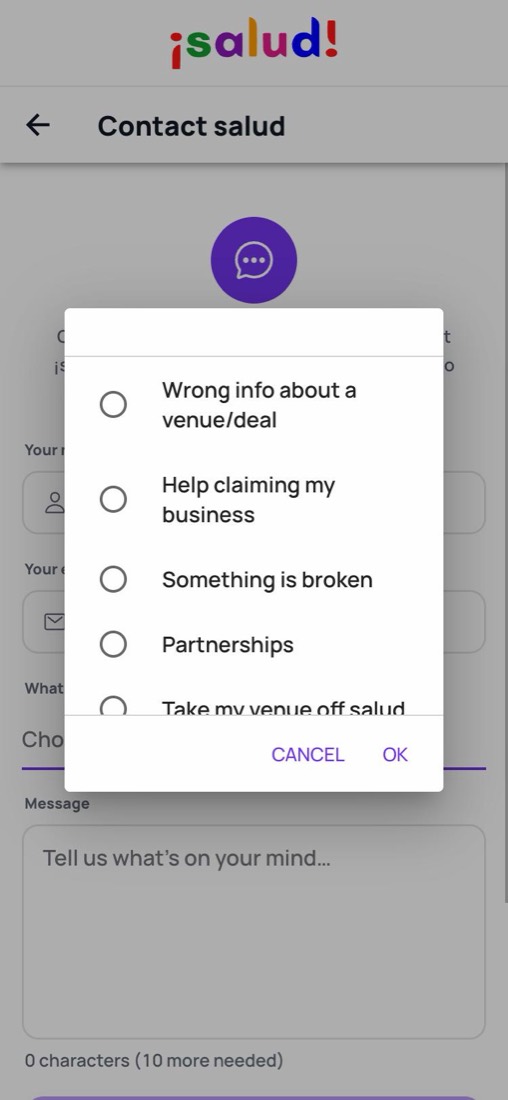
- Choose what it's about: Wrong info about a venue/deal, Help claiming my business, Something is broken, Partnerships, Take my venue off salud, Something that shouldn't be on salud, or Something else.
- Write your message and send it. We're a small team, and we'll get back to you.
Your venue
Is this your venue? Claim it, and keep its deals and posts up to date yourself.
- Sign in, then open your venue in salud and tap Claim it, beside "Is this your venue?".
- That takes you to the salud Account Site, signed in.
- Prove the venue is yours in one of three ways: a code to the venue's own listed phone number, a link sent to an email address at its own website, or a photo of its liquor licence.
See Help for the salud Account Site for everything you can do there. Need a hand claiming? Profile → Contact salud, Help claiming my business.
Would you rather your venue wasn't on salud? Go to Profile → Contact salud, choose Take my venue off salud, and tell us which venue. We'll take it down.
Your account and your data
Download your data: go to Profile → Download my data.
Delete your account
- In the app: go to Profile → Delete my account. It's done straight away.
- Without the app: email hello@salud.nz from the email address you sign in with, and ask us to delete your account. We'll confirm once it's done, within 20 working days and usually much sooner.
When your account is deleted:
- we remove your name, email, profile picture and sign-in, and sign you out on every device;
- we keep, without your name, the deals, photos and comments you added to public listings, so others can still use them.
Our Privacy Policy explains what else we keep, and for how long.
Privacy questions. Our privacy officer is one of salud's founders. Go to Profile → Contact salud in the app. Read our Privacy Policy and our Terms of Use.
Something's not working
- Make sure you have the latest version of the app, and check your connection.
- Still not right? Go to Profile → Contact salud and choose Something is broken. Tell us your phone model and what happened.
When the app hits an error, it sends us a report automatically, with personal details removed, so we may already be on it.